

AI-Powered Item Recognition
Your photos are processed securely and immediately deleted after analysis. No images are stored on our servers. All data transmission uses SSL encryption.
Instant Item Identification
Simply take a photo of any item, and let AI automatically identify and document it with remarkable accuracy. MovingBox is able to recognize many common properties:
- Item type
- Brand and model when visible
- Color and material
- Approximate age (when visually apparent)
- Enhanced detail recognition with high-resolution processing
- Multiple photos per item for comprehensive documentation
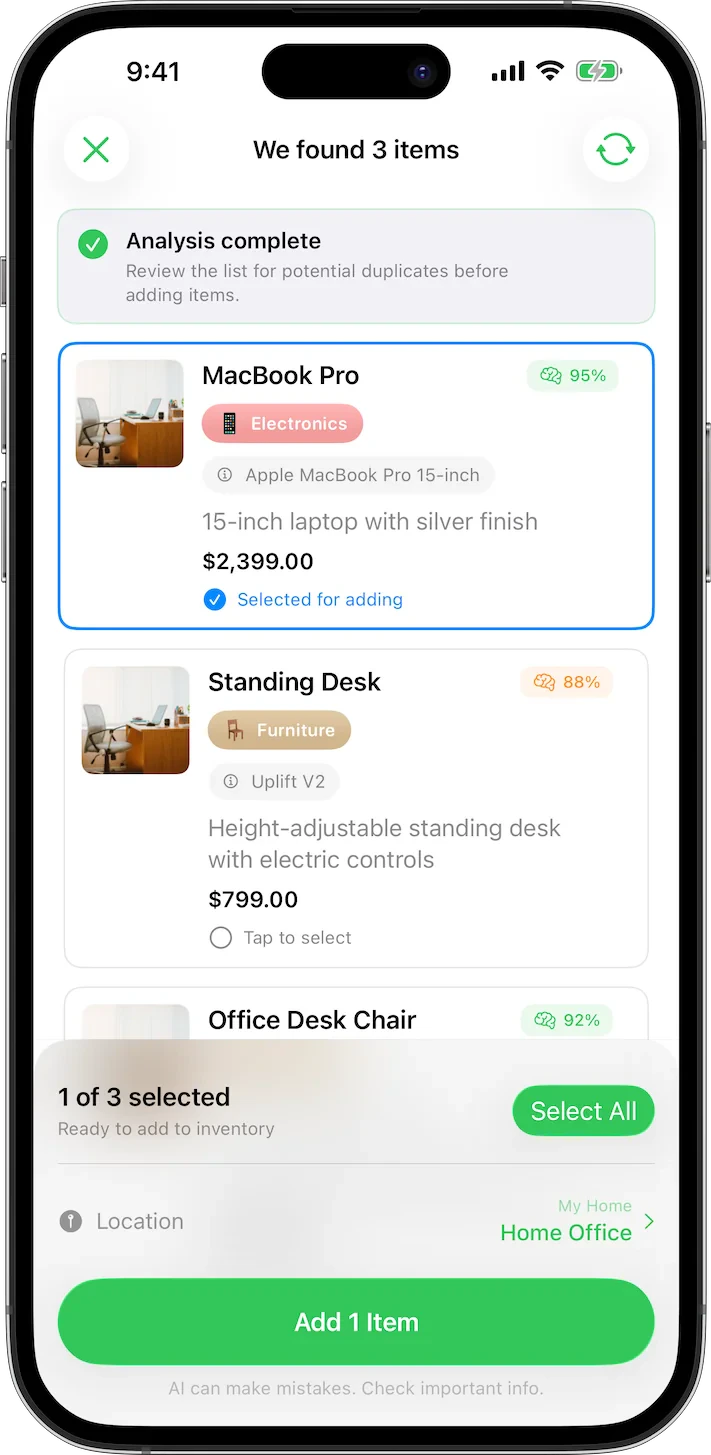
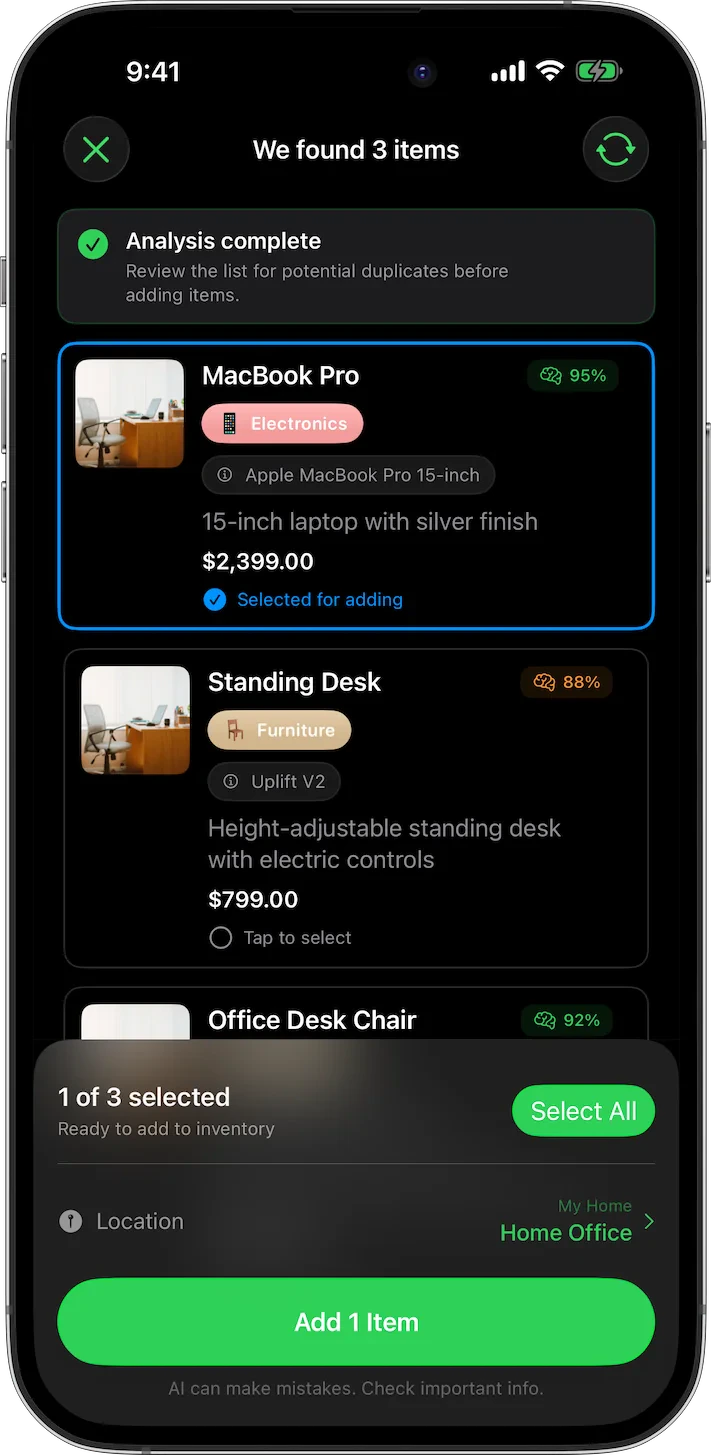
Enhanced AI Analysis
- High-Resolution Analysis: Process images up to 1250x1250px for enhanced detail recognition
- Multiple Photos Per Item: Add up to 5 photos per item (free users get 1 photo per item) to capture different angles, receipts, and supporting documentation
- Unlimited AI Scans: No limits on AI image analysis
Enhanced AI Analysis requires a MovingBox Pro subscription.
Comprehensive Documentation
MovingBox doesn’t just identify your items—it creates detailed records with 15+ new properties for complete inventory management:Detailed Descriptions
Get comprehensive descriptions of each item automatically generated by AI
Purchase Information
Track purchase date, location, warranty expiration, and condition
Financial Data
Store replacement cost, depreciation rate, and detailed pricing information
Physical Properties
Record dimensions, weight, color, and storage requirements
Moving Optimization
Set fragility level, moving priority, and destination room assignment
Document Attachments
Store documents like receipts, warranties, and important files
Intelligent Organization
Keep your inventory organized with Locations (group by room or storage area) and Labels (categorize by type, condition, or custom classifications). Create unlimited locations and labels, filter and sort your items, and move items between locations and homes with ease. Learn more about organizing your inventory →Multiple Homes
Manage inventory across all your properties from a single app.Multiple Properties
Add a vacation home, rental unit, investment property, or office — each with its own rooms, labels, and insurance policy.
All Inventory View
Use “All Inventory” in the sidebar to search and browse items across every home at once.
Instant Switching
Switch between homes from the sidebar. The dashboard and all views update instantly.
Per-Home Insurance
Each home tracks its own insurance policy, coverage details, and deductible separately.
Multiple Homes requires a MovingBox Pro subscription.
AI Video Analysis
Scan an entire room by recording a short video.Room Scanning
Pan across a room and MovingBox extracts frames to identify every item automatically.
Review & Keep
Review detected items one by one — keep what you want, skip the rest.
AI Video Analysis requires a MovingBox Pro subscription.
Household Collaboration
Invite a trusted person to edit your inventory alongside you.Full Edit Access
Invited collaborators can add, edit, and delete items across all your homes.
iCloud Powered
Sharing is built on iCloud — changes sync in real time across all devices.
Household Collaboration requires a MovingBox Pro subscription.
Cloud Synchronization
Keep your inventory safe and accessible:- iCloud Integration: Seamlessly sync your data across all your iOS devices
- Household Collaboration: Invite trusted collaborators to edit your inventory together
- End-to-End Encryption: Your data remains secure and private
- Automatic Backups: Never worry about losing your inventory information
- Offline Mode: Continue using the app even without an internet connection
Advanced Export & Reporting
Generate comprehensive reports with powerful new export capabilities:Selective Exports
Build focused reports by exporting only selected items
ZIP Archives
Export CSV data with photos for insurance claims or moving companies
Professional Documentation
Generate comprehensive inventory reports with all new properties
CSV Export
Export your inventory data to CSV format for use with other applications
Powerful Bulk Operations
Manage your inventory more efficiently with new bulk operation capabilities:- Multi-Select Interface: Select multiple items simultaneously with intuitive checkboxes
- Bulk Actions: Move, re-label, or delete multiple items at once
- Smart Selection: Select all items or filter selections by criteria
- Batch Editing: Update properties across multiple items efficiently